If your days constantly feel scattered, reactive, and full of interrupted work that never quite gets finished, the problem usually isn’t how hard you’re working — it’s how your calendar is structured. Time blocking in your daily calendar is the productivity method that fixes exactly that. Used by professionals ranging from Bill Gates to Cal Newport, time blocking means dividing your day into dedicated, pre-planned segments for specific tasks — so instead of a vague list of things to do, you have a concrete schedule that tells you exactly what you’re working on, when, and for how long. This guide gives you everything you need to implement it properly from day one.
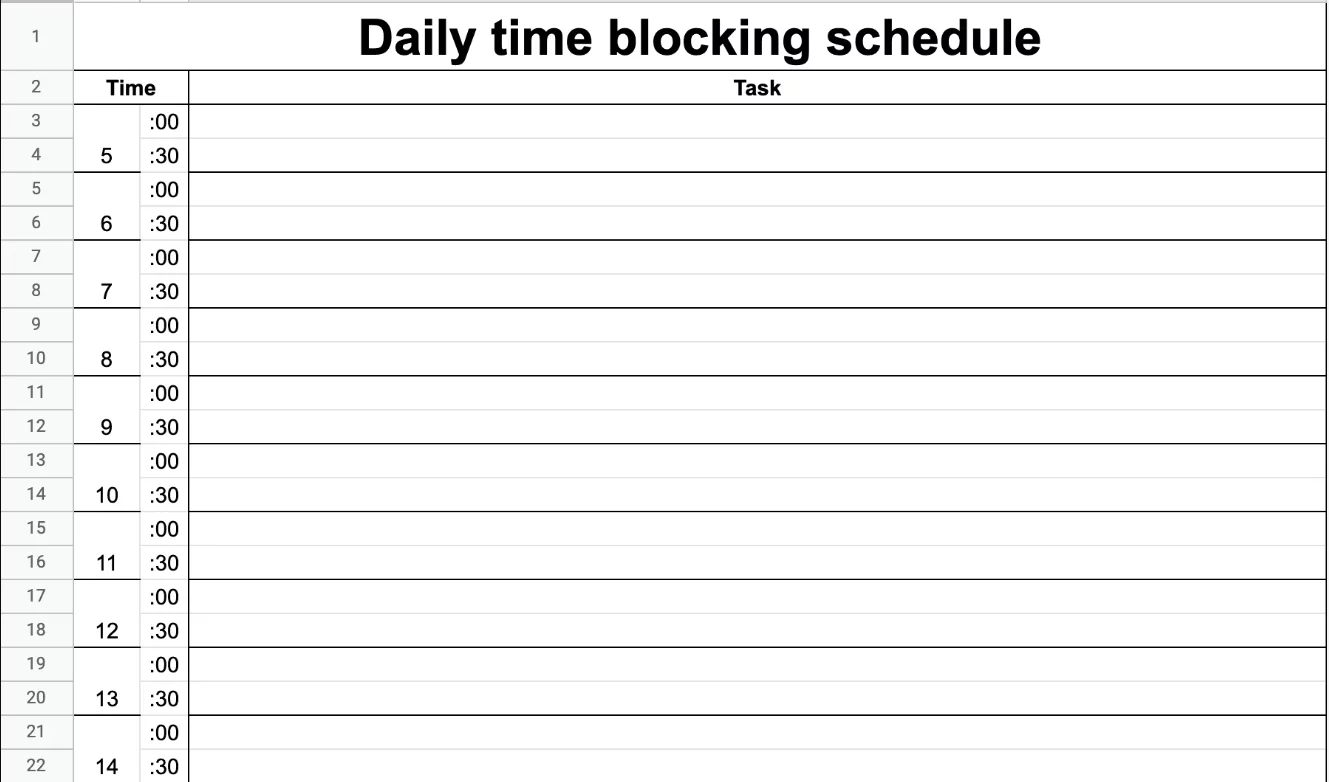
What Is Time Blocking — and Why Does It Actually Work?
Time blocking is a time management strategy where you assign every hour (or portion of an hour) of your workday to a specific task or category of tasks, in advance. Rather than working from a to-do list and picking items reactively, you schedule focused blocks of time on your calendar for deep work, meetings, admin, creative tasks, and personal commitments — and then protect those blocks the same way you would protect a meeting with your most important client.
The reason it works comes down to how the human brain handles attention. Research on attention residue — the cognitive phenomenon where part of your brain stays stuck on a previous task after you switch to a new one — shows that constant context-switching dramatically reduces the quality of thinking and output. Time blocking counters this by creating long, uninterrupted windows for single-task focus. When you know you have 90 minutes blocked for deep writing and nothing else is competing for your attention during that window, the quality of your output improves substantially over fragmented, multitasked work.
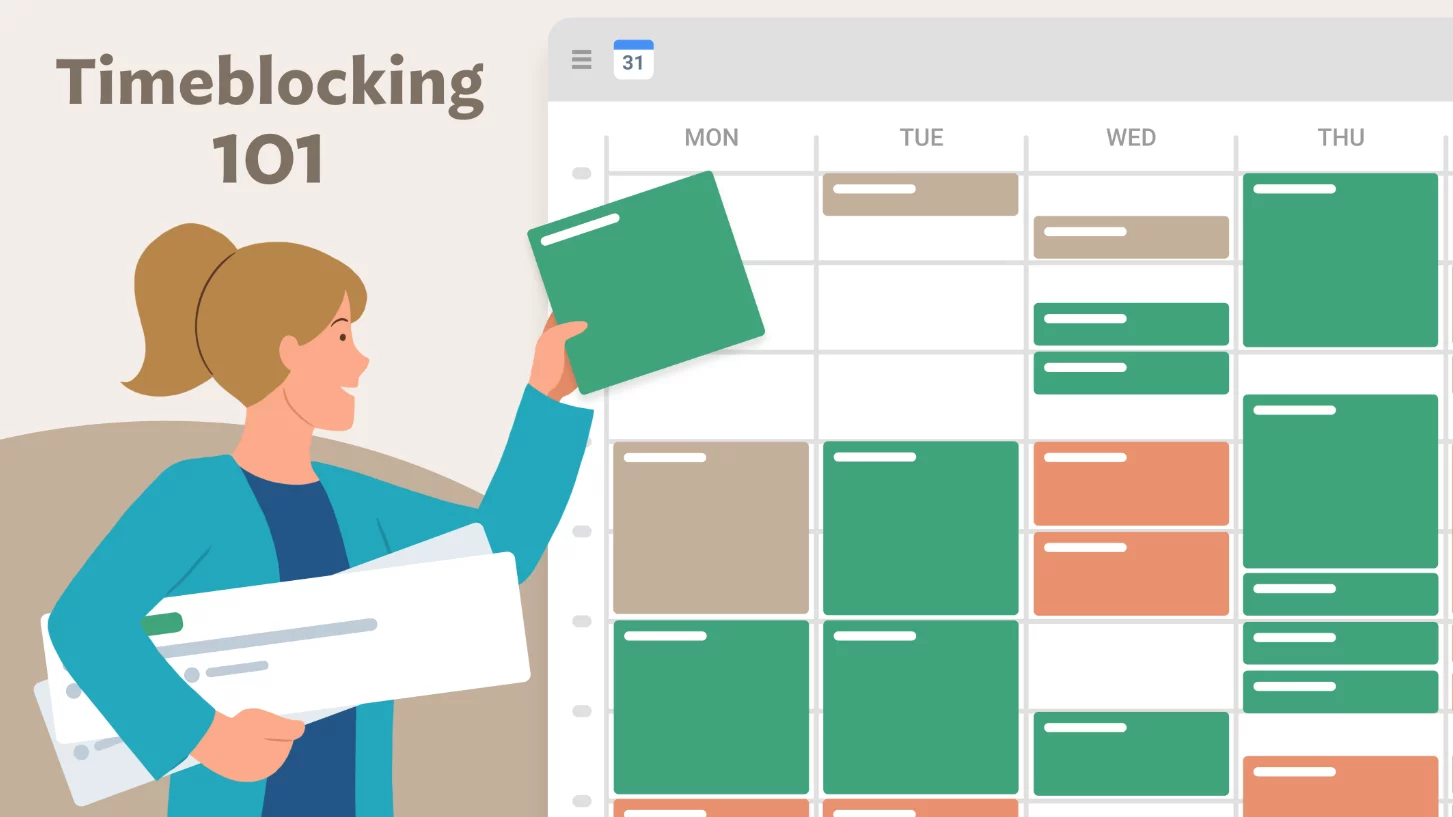
The Core Principles of Time Blocking
Before setting up your calendar, it helps to understand the three principles that make time blocking sustainable — not just for a week, but as a long-term professional practice.
- Every hour has a purpose — even breaks, lunch, and buffer time should be intentionally scheduled, not left as vague gaps between meetings. Unstructured time tends to fill with low-value distractions rather than genuine rest.
- Blocks protect your attention, not just your time — the goal isn’t to be busy every minute. It’s to ensure your most cognitively demanding work gets your best, most focused attention at the right point in the day.
- Flexibility is built in, not abandoned — time blocking doesn’t mean your schedule is rigid and unmovable. It means when something changes, you consciously reschedule the displaced block rather than letting it disappear entirely.
Step-by-Step: How to Set Up Time Blocking in Your Daily Calendar
Setting up time blocking correctly from the start saves you from the most common mistakes — over-scheduling, underestimating task durations, and creating a plan that collapses by 10 AM. Here’s the exact process.
Step 1 – Do a Brain Dump of Everything You’re Responsible For
Before you touch your calendar, write down every recurring responsibility, active project, and task category that makes up your professional life. This includes deep work (writing, analysis, coding, strategy), meetings and calls, email and communication, administrative tasks, planning time, learning and development, and personal commitments. Getting everything out of your head and onto paper first gives you a realistic picture of the total demand on your time — and prevents the very common mistake of only blocking the tasks you enjoy while leaving the harder ones unscheduled.
Step 2 – Identify Your Peak Energy Windows
Most people have a predictable daily rhythm of cognitive energy — a period of peak mental sharpness, a mid-day lull, and a secondary recovery window in the late afternoon. For the majority of professionals, peak focus tends to fall in the first two to four hours of the workday, before the social and communicative demands of the day accumulate. Identifying your personal energy pattern is critical because it determines which type of work goes into which block. Your most cognitively demanding, high-value deep work should always be scheduled during your peak window — not your email inbox.
Step 3 – Build a Weekly Template with Anchor Blocks
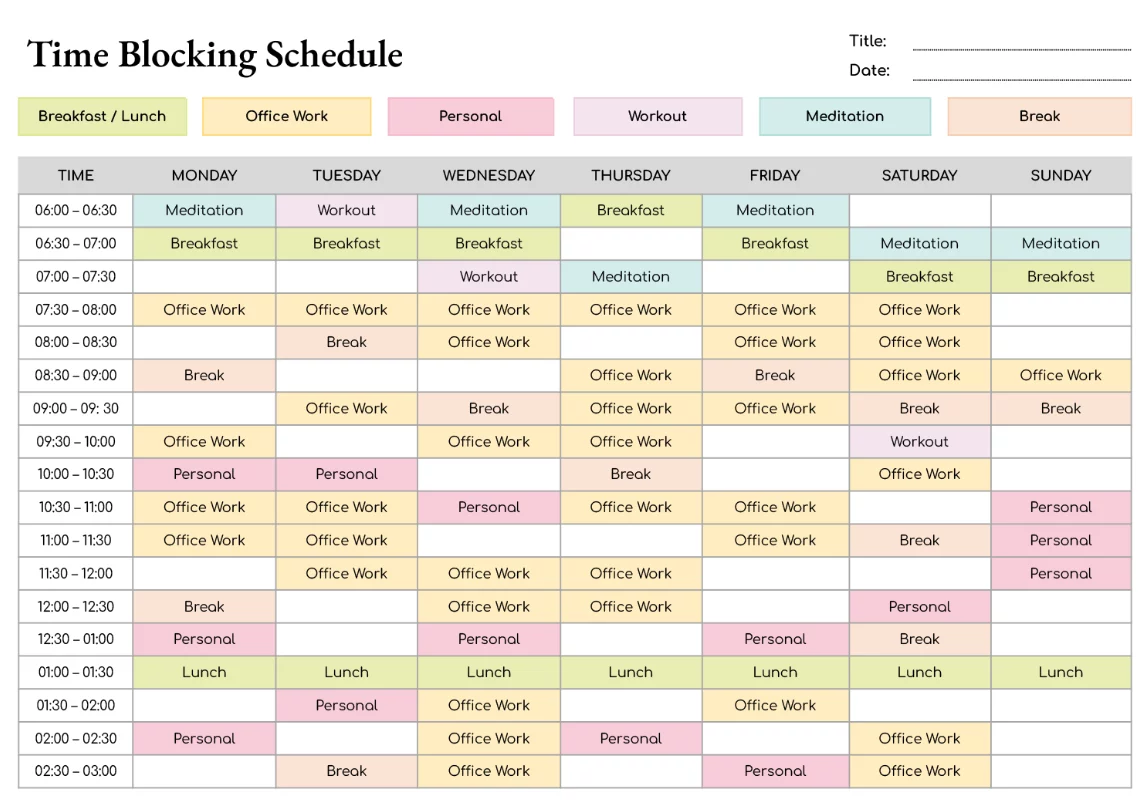
A weekly template is a reusable daily schedule framework that you apply to each week, adjusting only what changes. Start by placing your anchor blocks — the non-negotiables that repeat every week: your standing team meetings, your committed one-on-ones, school pickup times, workout sessions, or any fixed external obligations. These anchors define the fixed structure around which everything else is organized. A practical professional ratio to aim for is 40% deep work, 40% collaboration and meetings, and 20% admin and communication — though the right balance varies by role and seniority.
Step 4 – Fill In Deep Work Blocks First
Once your anchor blocks are placed, fill in your deep work blocks next — before you schedule anything else. This is the most important sequencing decision in time blocking. Deep work is the category that generates the most professional value and requires the most protection from interruption. Schedule two dedicated deep work blocks per day where possible: a longer morning block (90 minutes is a reliable target) during your peak energy window, and a shorter afternoon block (60 minutes) for secondary focus tasks. Name each block specifically — not “work” or “project,” but “Draft Q3 strategy brief” or “Code payment gateway feature.” Specificity reduces the mental friction of starting.
Step 5 – Schedule Communication and Admin in Batches
Email and messaging are among the largest time-drains in professional life — not because each individual message takes long, but because the habit of checking them constantly fragments every other block on your calendar. Time blocking solves this by containing communication within dedicated, batched windows. Schedule two or three 30–45 minute email/message blocks per day — typically mid-morning after your first deep work block, around midday, and at the end of the day — and outside those windows, close your inbox entirely. This single habit, more than almost any other change, dramatically reduces the attention residue that makes focused work so hard to sustain.
Step 6 – Add Buffer Blocks Between Major Transitions
One of the most common reasons time blocking fails in practice is that people schedule blocks back-to-back with zero margin for overrun, transition, or the unexpected. Build 15–30 minute buffer blocks between major transitions in your day — after a long meeting before deep work begins, between your deep work session and your communication window, and before your end-of-day planning review. Buffer blocks absorb the inevitable overruns and unexpected requests that every workday generates, preventing them from triggering a cascade of knocked-over dominoes through the rest of your schedule.
Step 7 – Close Every Day With a 10-Minute Calendar Audit
The end-of-day review is the habit that separates professionals who use time blocking consistently from those who try it for a week and abandon it. Spend 10 minutes at the end of each workday reviewing what was completed, renaming finished blocks with their actual outcomes (“Completed draft” instead of “Write draft”), and rescheduling any blocks that were displaced during the day. This review ensures your next morning starts with a complete, accurate plan rather than yesterday’s wreckage — and it gives you a daily record of where your time actually went versus where you intended it to go.
Time Blocking Variations Worth Knowing
The core method described above works for most professionals, but several popular variations are worth understanding because they suit specific work styles and roles better than the standard approach.
Task Batching
Task batching is a closely related technique where you group similar types of tasks into a single block rather than scheduling individual tasks separately. For example, instead of responding to emails throughout the day, you batch all email responses into one dedicated window. Instead of making calls whenever they come up, you batch all outbound calls into a single afternoon block. Batching reduces the cognitive setup cost of switching between different types of tasks, and it integrates naturally with time blocking as a way to organize the content within your scheduled windows.
Day Theming
Day theming takes time blocking to a macro level by assigning each day of the week a primary theme or focus area. For example: Monday for strategic planning, Tuesday for deep creative work, Wednesday for external meetings and client calls, Thursday for team collaboration, Friday for administrative tasks and weekly review. This approach is particularly effective for entrepreneurs, managers, and anyone with broad, diverse responsibilities who finds that context-switching between different modes of work across a single day undermines their effectiveness. Elon Musk and Jack Dorsey have both publicly described using day-theming variations to manage their responsibilities across multiple companies.
The Pomodoro-Blocking Hybrid
Some professionals combine time blocking with the Pomodoro Technique — a focus method that uses 25-minute work sprints followed by 5-minute breaks. In this hybrid approach, a 90-minute deep work block on the calendar is internally divided into three 25-minute Pomodoro sprints with two 5-minute breaks. The calendar block provides the protected window and external commitment, while the Pomodoro structure provides the internal rhythm and pacing within that window. This combination works particularly well for people who struggle to maintain focus for extended uninterrupted periods and need a built-in internal clock to stay on track.
Best Tools for Time Blocking in 2026
The right tool makes time blocking significantly easier to implement and maintain. Here are the leading options professionals use in 2026:
- Google Calendar — the most accessible starting point for time blocking. Create color-coded block categories (deep work in blue, meetings in green, admin in orange), use the “Tasks” feature to attach specific to-dos to each block, and set recurring templates for your weekly anchor structure. Completely free and works across all devices.
- Reclaim.ai — an AI-powered calendar tool that automatically schedules your tasks, habits, and focus blocks around your existing meetings. It dynamically reschedules blocks when meetings move or overrun, making it one of the most sophisticated automated time-blocking solutions available in 2026.
- Motion — similar to Reclaim in concept, Motion uses AI to build your daily schedule automatically based on your task list, deadlines, and calendar commitments. It continuously updates throughout the day as priorities shift, making it particularly useful for professionals in fast-moving environments where manual scheduling isn’t practical.
- Notion Calendar — a strong option for professionals already embedded in the Notion productivity ecosystem. It connects directly to your Notion databases and task lists, allowing you to drag tasks from your workspace directly into calendar blocks without switching tools.
- Apple Calendar + Reminders — for Apple ecosystem users, the combination of Calendar for block scheduling and Reminders for task lists within each block is a clean, native, and privacy-conscious setup that requires no third-party apps.
Common Time Blocking Mistakes — and How to Avoid Them
Even well-intentioned time blockers make the same predictable mistakes. Knowing them in advance is the easiest way to avoid derailing a system that actually works.
- Over-scheduling with no buffer — packing every minute of the day with blocks leaves no room for the unexpected and causes the entire schedule to collapse when anything runs over. Always leave 20–30% of your calendar as buffer and transition time.
- Scheduling without energy awareness — putting deep creative work in the post-lunch slump window and scheduling routine email in the morning peak defeats the entire purpose. Match task intensity to energy levels, not just availability.
- Using vague block names — “Work,” “Project,” or “Admin” are meaningless as calendar entries. Name blocks with specific, verb-led outcomes: “Write Section 2 of the annual report,” “Review and respond to client proposals.” Specificity removes the decision-making friction that causes avoidance.
- Abandoning the system when one day breaks — no time-blocked day survives contact with reality perfectly. A disrupted day is not a system failure — it’s a normal day. The habit of rescheduling displaced blocks at the end of the day is what keeps the system alive through inevitable disruptions.
- Never reviewing or adjusting the template — your responsibilities, energy patterns, and work priorities shift over time. Review your weekly template monthly and adjust block proportions to reflect what your work actually requires right now, not what it required three months ago.
Start Small and Build the Habit
The most common mistake first-time time blockers make is trying to schedule their entire day from 8 AM to 6 PM on day one. That approach is the productivity equivalent of trying to lift your maximum weight on the first visit to the gym — it works briefly and then collapses under its own weight. Instead, start by blocking just your mornings for the first two weeks. Protect a single 90-minute deep work block each morning, keep the rest of your schedule flexible, and focus entirely on honoring that one block consistently. Once that becomes natural, add a second block. Then add your communication batching windows. Build the architecture piece by piece, and within a month you’ll have a complete time-blocked daily calendar that actually holds up under real professional conditions.
The professionals who get the most out of time blocking in their daily calendar aren’t the ones with the most elaborate systems — they’re the ones who start simple, stay consistent, and adjust honestly when something isn’t working. Your calendar is the most powerful professional tool you already own. Time blocking is simply the method that finally puts it to work for you.


